

StereoTool
Addon
StereoTool is available as a paid addon. Enable it in Station > Addons.
Professional audio processing for broadcast-quality sound.
Path: Station > Settings > StereoTool
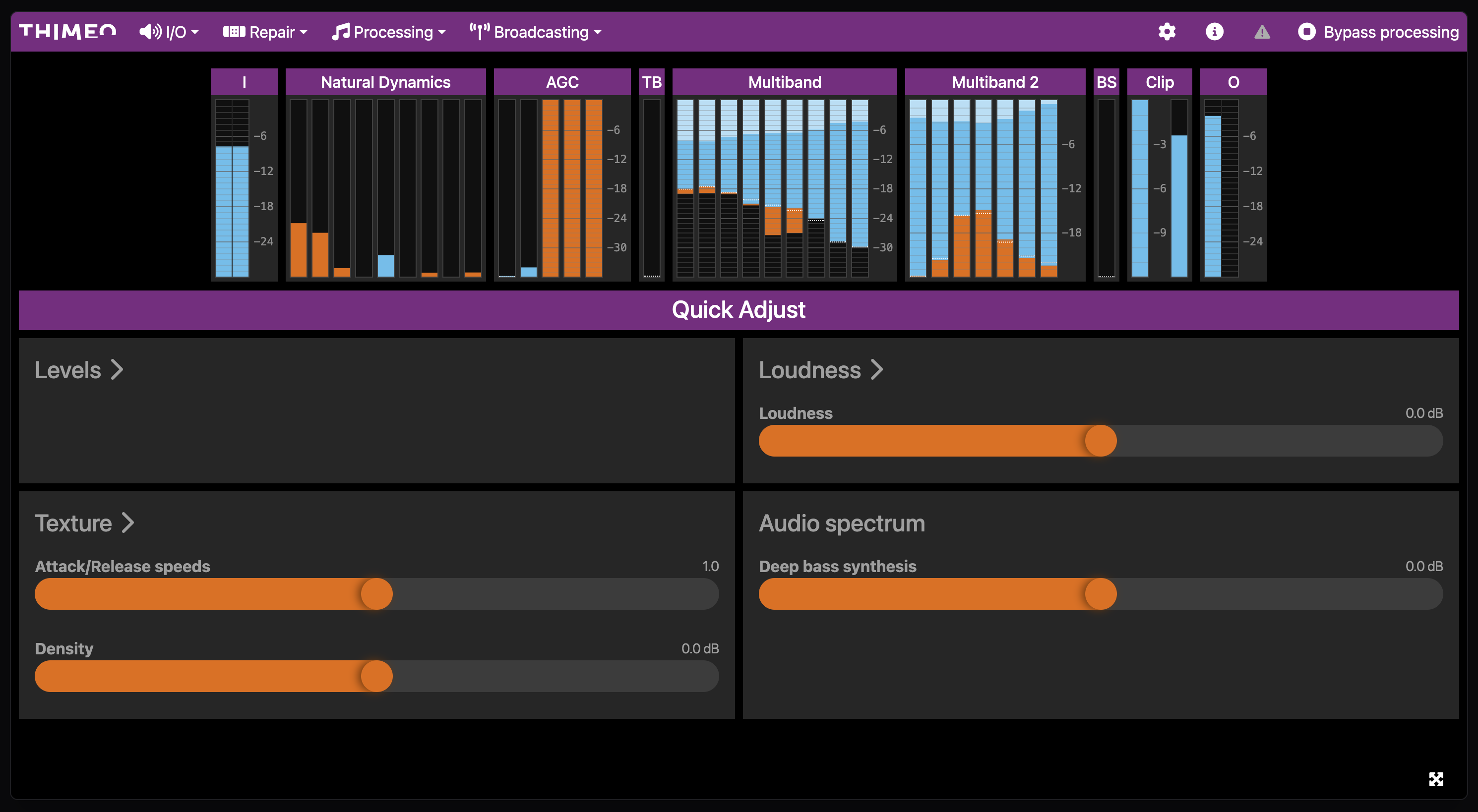
Overview
StereoTool is a third-party audio processor that provides advanced sound enhancement. It runs on the audio output before encoding, applying multiband compression, stereo enhancement, and other broadcast processing.
Requirements
- Active StereoTool license
- StereoTool preset file (.sts)
Configuration
Enable StereoTool
- Navigate to Station > Settings > StereoTool
- Toggle Enable StereoTool
- Upload your preset file
- Click Save
Preset Files
StereoTool uses preset files (.sts) to define processing settings. Presets control:
- Multiband compression
- Limiting
- Stereo widening
- Bass enhancement
- High-frequency processing
| Source | Description |
|---|---|
| StereoTool presets | Included with StereoTool license |
| Custom presets | Created in StereoTool standalone |
| Third-party presets | Available from audio processing vendors |
Upload a Preset
- Click Upload Preset
- Select your .sts file
- The preset loads automatically
Processing Chain
StereoTool processes audio after internal processing but before encoding:
Audio → Gap Killer → EBU R128 → StereoTool → EncoderBypass Mode
Temporarily disable StereoTool without removing the configuration:
- Toggle Bypass to enabled
- Audio passes through unprocessed
- Toggle off to re-enable processing
Troubleshooting
No Audio Output
- Verify the preset file is valid
- Check that the preset was created with a compatible StereoTool version
- Try bypassing StereoTool to confirm source audio works
Distorted Audio
- The preset may be too aggressive for the source material
- Reduce input gain in the preset
- Use a preset designed for internet streaming
High CPU Usage
- StereoTool processing is CPU-intensive
- Consider using a lighter preset
- Contact support if issues persist