

StereoTool
Addon
StereoTool is a paid station addon. Activate it via Addons in the station sidebar.
Professional audio processing for broadcast-quality sound.
Overview
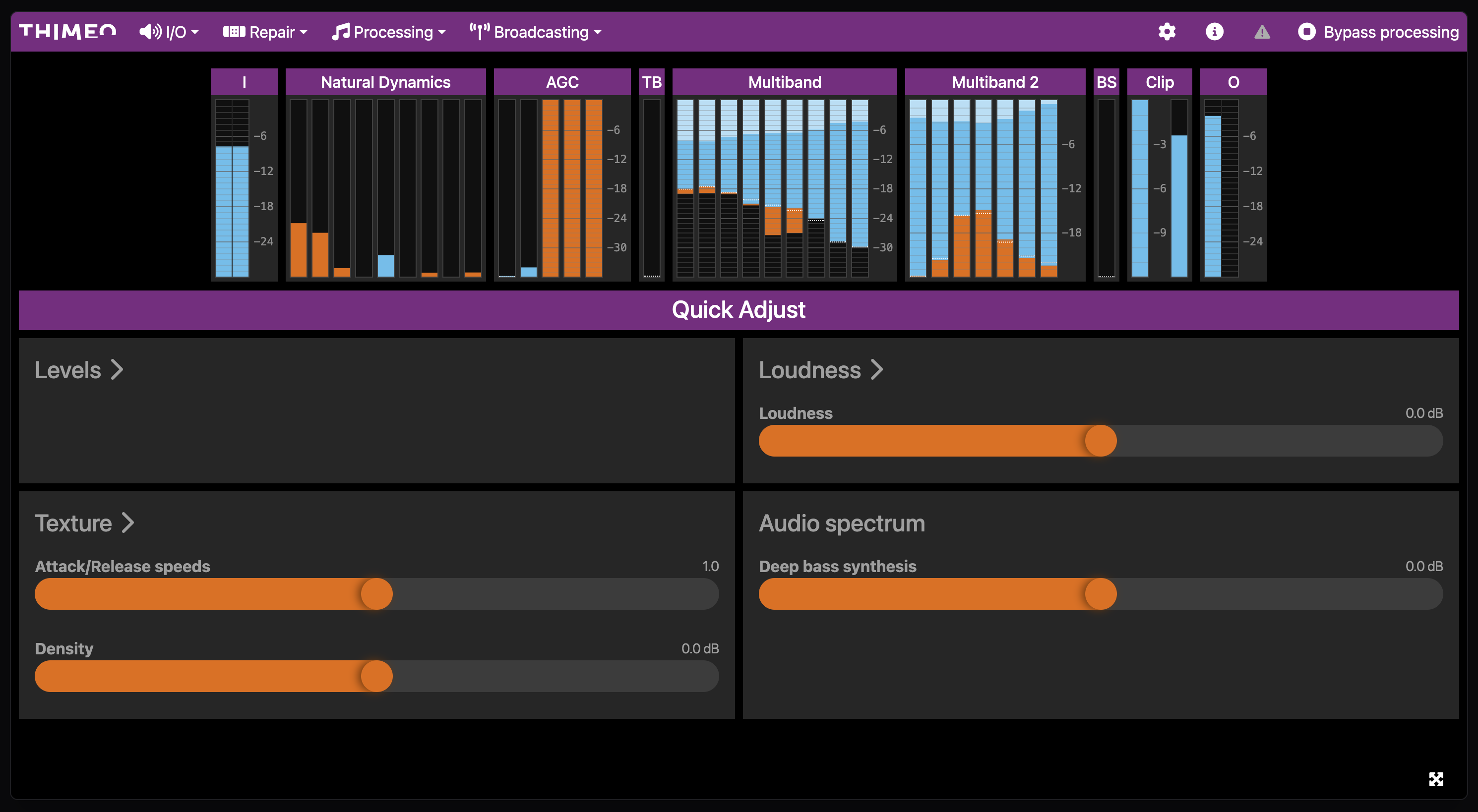
StereoTool is a third-party audio processor that provides advanced sound enhancement. It runs in real time on the audio output before encoding, applying multiband compression, stereo enhancement, and other broadcast processing.
Tiers
StereoTool is offered in different addon tiers. Higher tiers unlock additional processing capabilities. Select the tier when activating the addon in the station sidebar.
Requirements
- Active StereoTool addon (license managed through the addon system)
Interface
StereoTool is integrated as a web interface directly in the station. The processing page shows:
- Preset library: Browse and select presets in the sidebar
- StereoTool interface: Embedded web UI for detailed configuration
Presets
StereoTool processing is configured through presets. Each preset defines the full processing chain and is activated per station.
| Visibility | Description |
|---|---|
| Public | Shared across projects and available to all stations |
| Private | Available only within the project that uploaded it |
Upload a preset file to add it to the library, then select it on the station's processing page to apply it.
Activation
Processing is controlled through the preset mechanism:
- Open Sound Processing in the station sidebar
- Select a preset from the library
- Processing activates with the selected preset
To deactivate processing, deselect the active preset.
Processing Chain
StereoTool processes audio after loudness normalization but before encoding:
Audio → EBU R128 → StereoTool → EncoderTroubleshooting
No Audio Output
- Verify the active preset is valid
- Deactivate StereoTool to confirm source audio works
Distorted Audio
- The preset may be too aggressive for the source material
- Try a different preset designed for internet streaming
High CPU Usage
- StereoTool processing is CPU-intensive
- Consider using a lighter preset
- Contact support if issues persist
Related
- Addons Overview - Addon management
- Sound Processing in Studio - Monitor processed audio
- EBU R128 - Loudness normalization (separate from StereoTool)
- Encoders - Streaming codec configuration